Platform Features
Overview
Beyond trading, the E8 Markets terminal includes several community, analytical, and behavioral features. This section has the most additions of any page: Trader Score, Journaling, and a full News Wire are all new since the previous documentation, and a couple of old features moved to new locations.
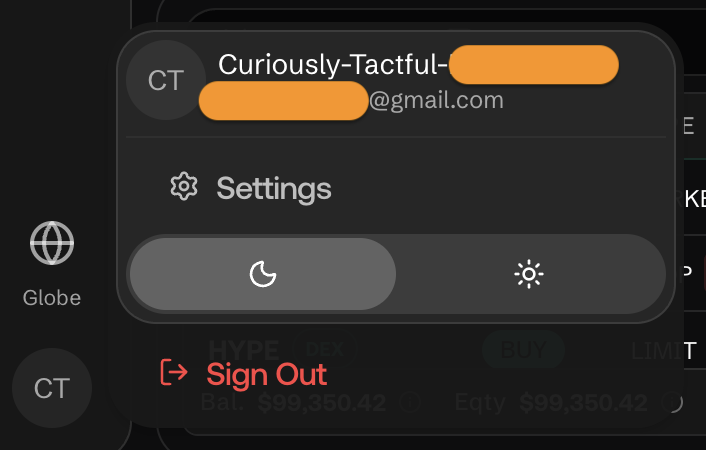
Q: How do I switch between Dark and Light mode?
A: Open the round account avatar menu in the bottom-left corner of the sidebar and use the sun/moon toggle there, next to Settings and Sign Out.
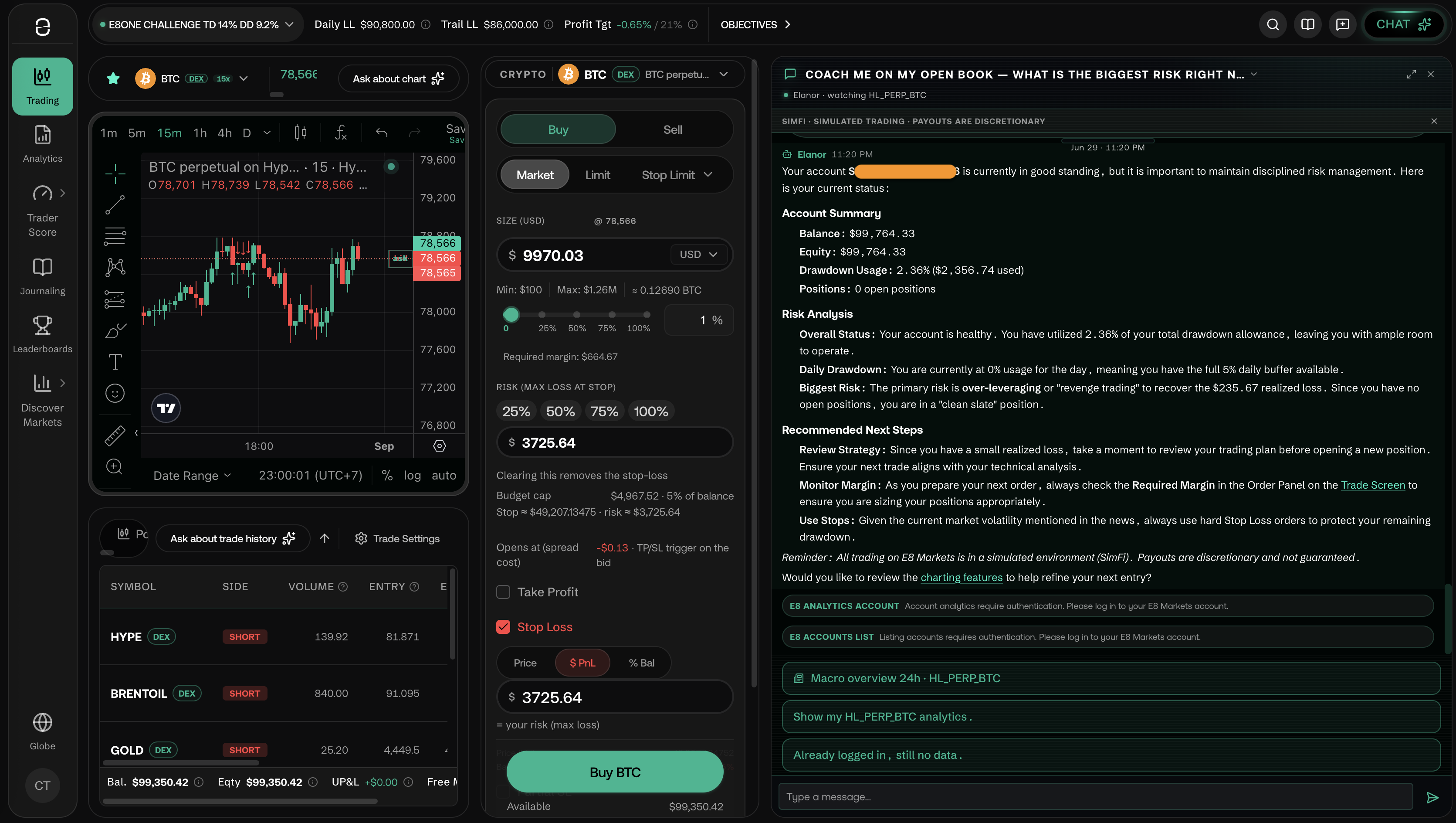
Q: What is the Chat and how do I use it?
A: Click CHAT (top-right of the header, with a sparkle icon) to open the ** Chat side panel. You can use it to discuss with AI your current account - or message to other traders in different tab. Click the ×** in the panel header to close it.
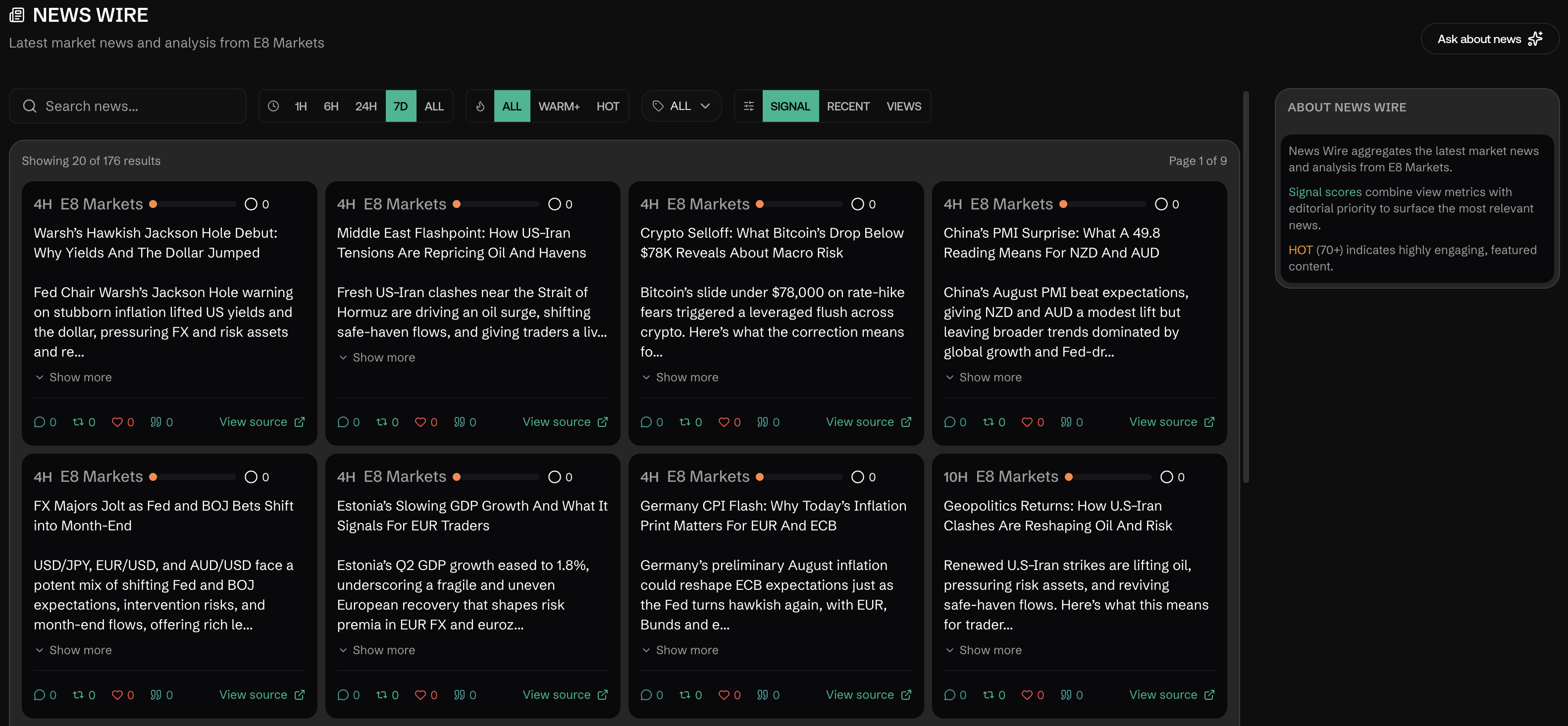
Q: What is the News Wire?
A: News Wire, reached via Discover Markets → News (or G N). It aggregates market news and analysis with:
- A search box and time-range filter (1H / 6H / 24H / 7D / ALL)
- An engagement filter (ALL / WARM+ / HOT) and a category filter
- Three view tabs: Signal, Recent, Views
- Per-article Signal scores and HOT badges for highly-engaging content
- An "Ask about news" AI shortcut
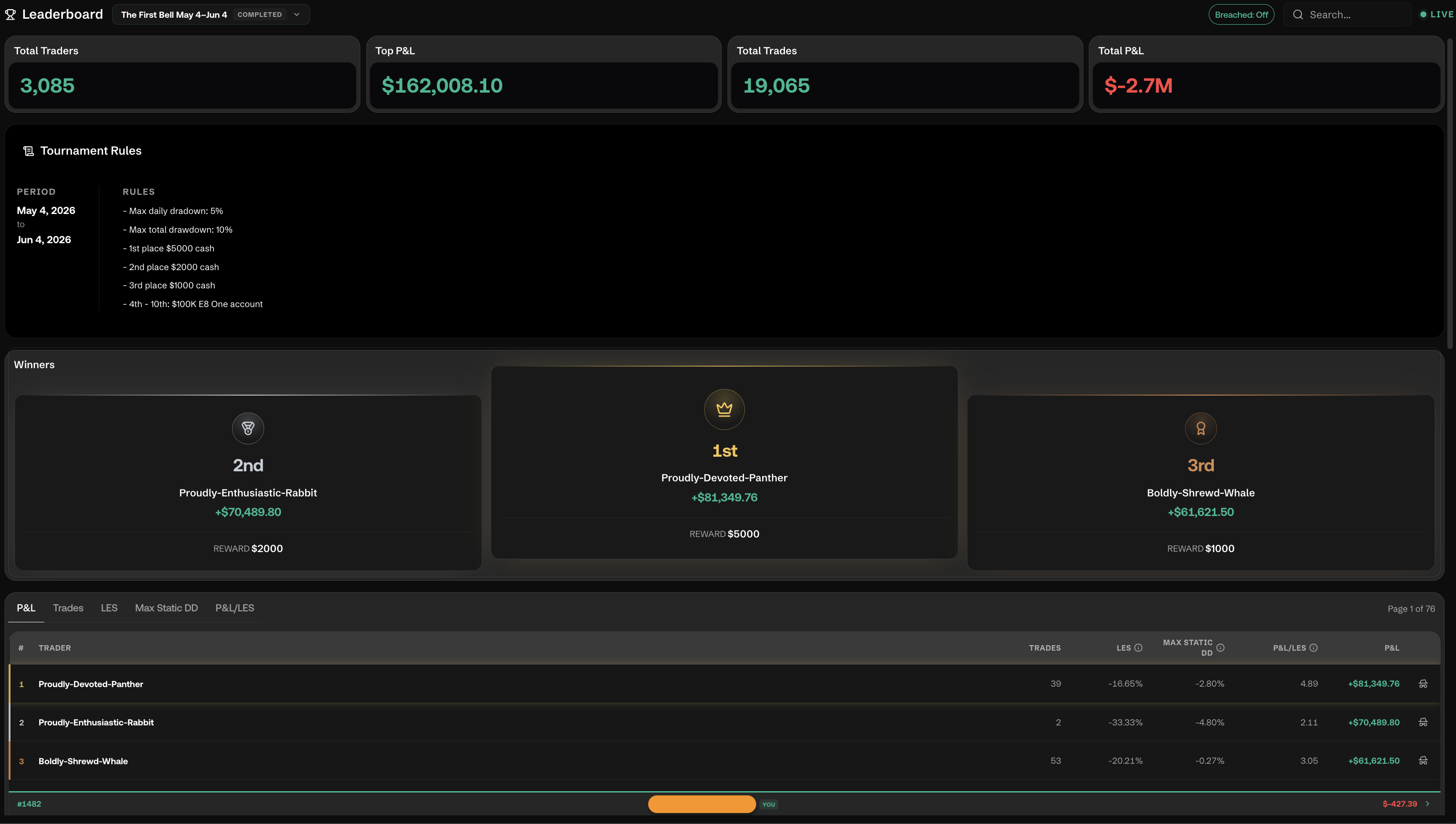
Q: What is the Leaderboard?
A: Reached via Leaderboards in the sidebar (G L). It centers on named tournaments (e.g., "First Bell") rather than a generic all-time ranking: total traders, top P&L, total trades, a Tournament Rules panel (dates, prize structure per placement band), and a Winners podium (1st/2nd/3rd with usernames and payouts).
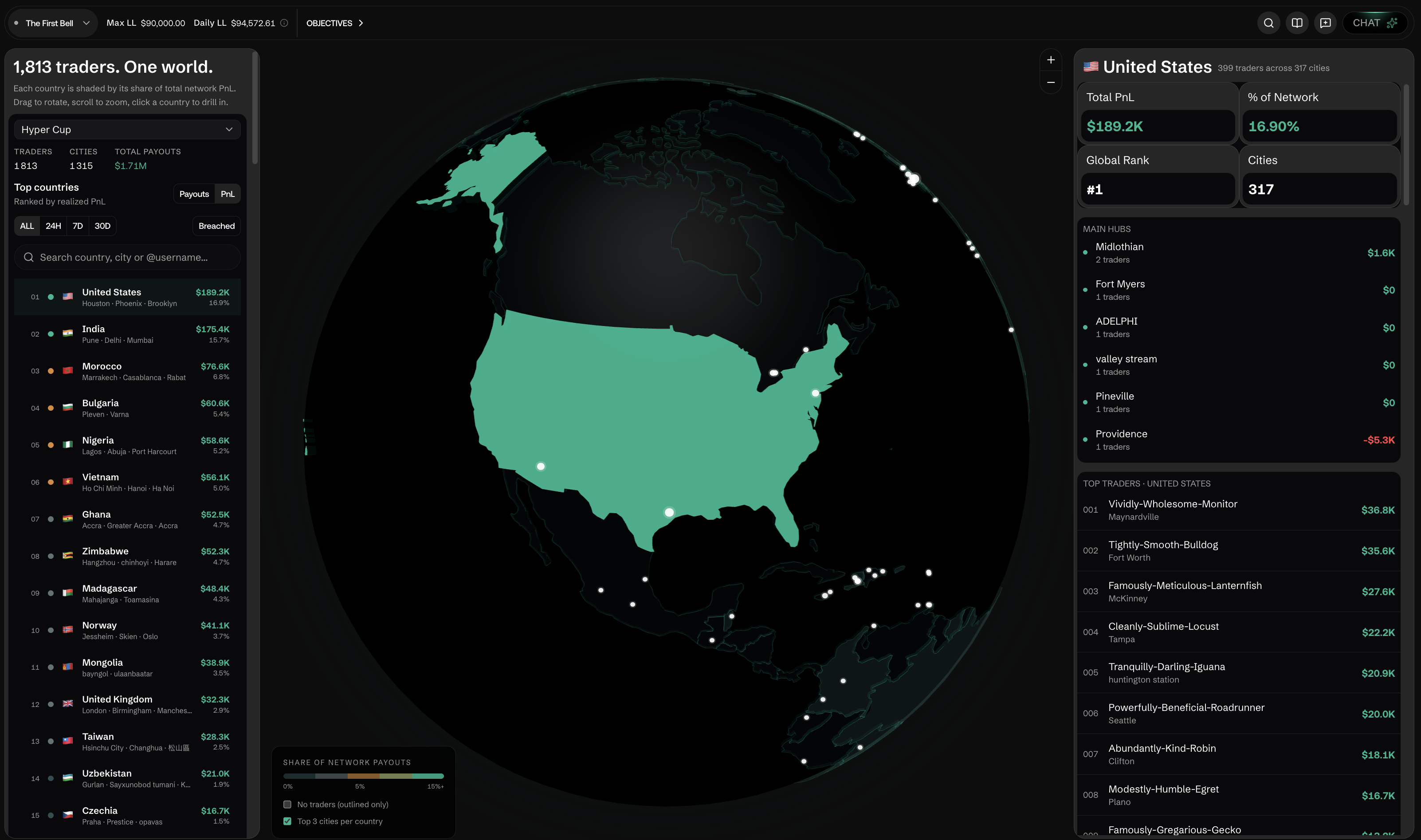
Q: What is the Globe view?
A: Reached via Globe in the sidebar (G G). It's visual, geographic overview of global trading activity, presented as an interactive 3D globe: countries are shaded by their share of network PnL, with a searchable "Top countries" list (ranked by Payouts or PnL, filterable by ALL/24H/7D/30D) and a drill-in panel that shows a country's main hubs and top traders when you click it.
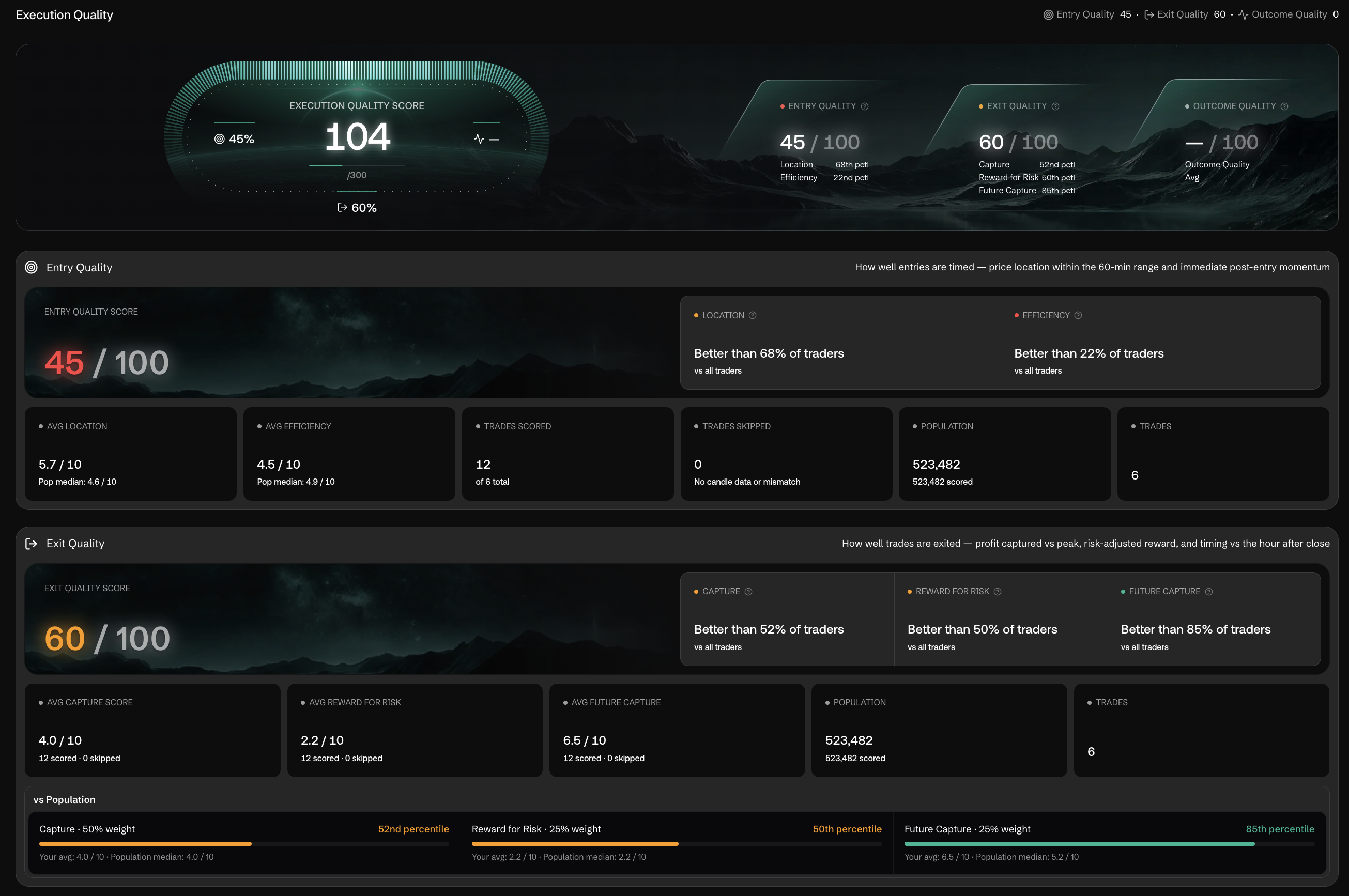
Q: What is Trader Score?
A: It scores your trading behavior beyond raw P&L: Execution Quality, Risk Integrity, Session Repeatability, Revenge Control, and Regime Robustness.
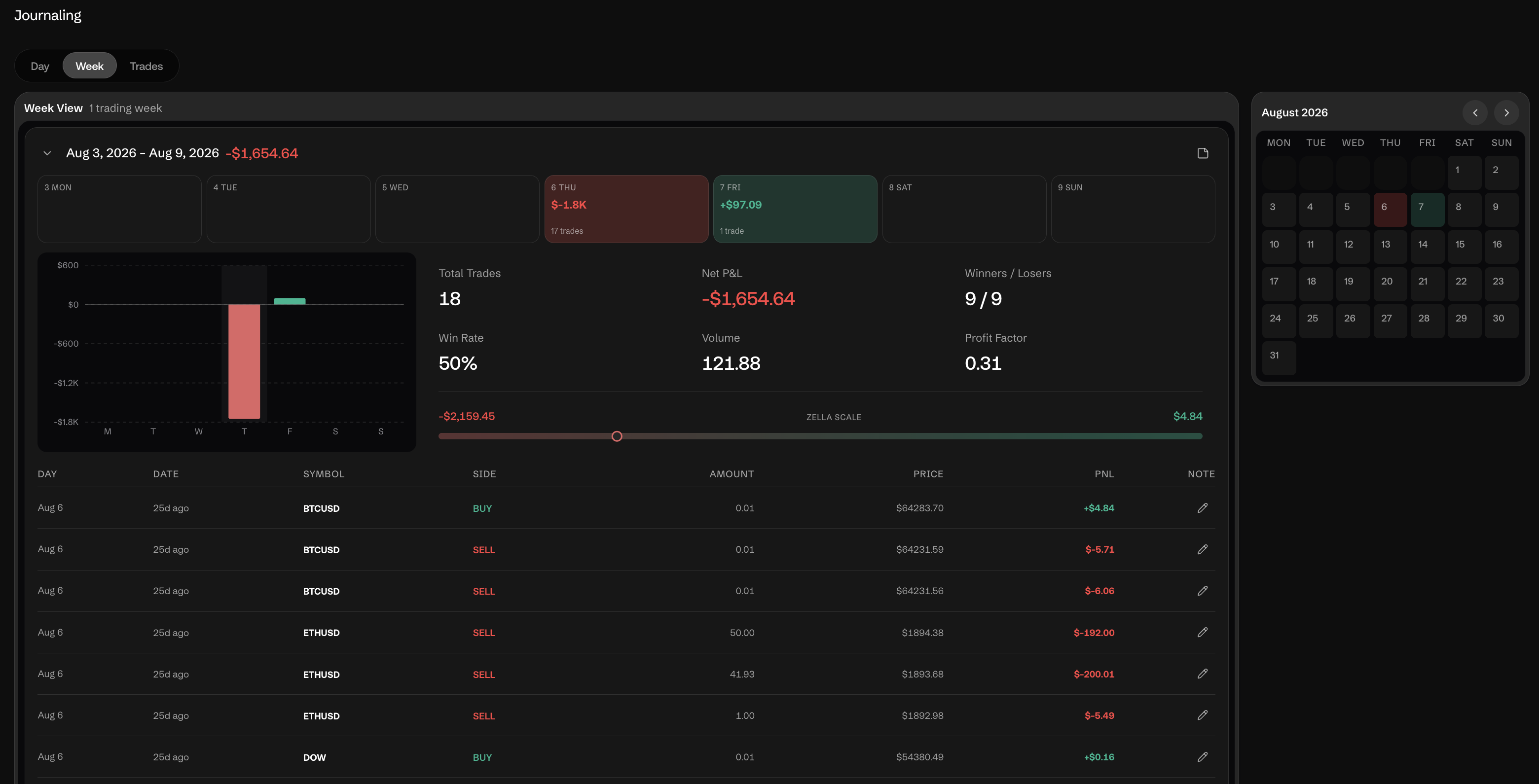
Q: What is Journaling?
A: With Day, Week, and Trades views plus a monthly calendar it heat-maps each trading day's P&L. Each day expands into total trades, net P&L, win rate, volume, and profit factor for that session.
Q: Can I use the terminal with AI tools or assistants?
A: AI/automation access is handled through a full MCP (Model Context Protocol) server with scoped API Keys, managed from Settings → API Keys — a considerably more capable replacement. See Terminal Access & MCP for details.
The in-terminal CHAT button and the various "Ask about..." shortcuts (chart, trade history, order history, news) are a separate, built-in AI assistant feature, not the same thing as the MCP integration.